Features
Eleven connected modules
Breakdowns feed work orders, work orders feed inventory, inventory feeds purchasing, and everything feeds reporting. Turn on what you need now, the rest later.
01
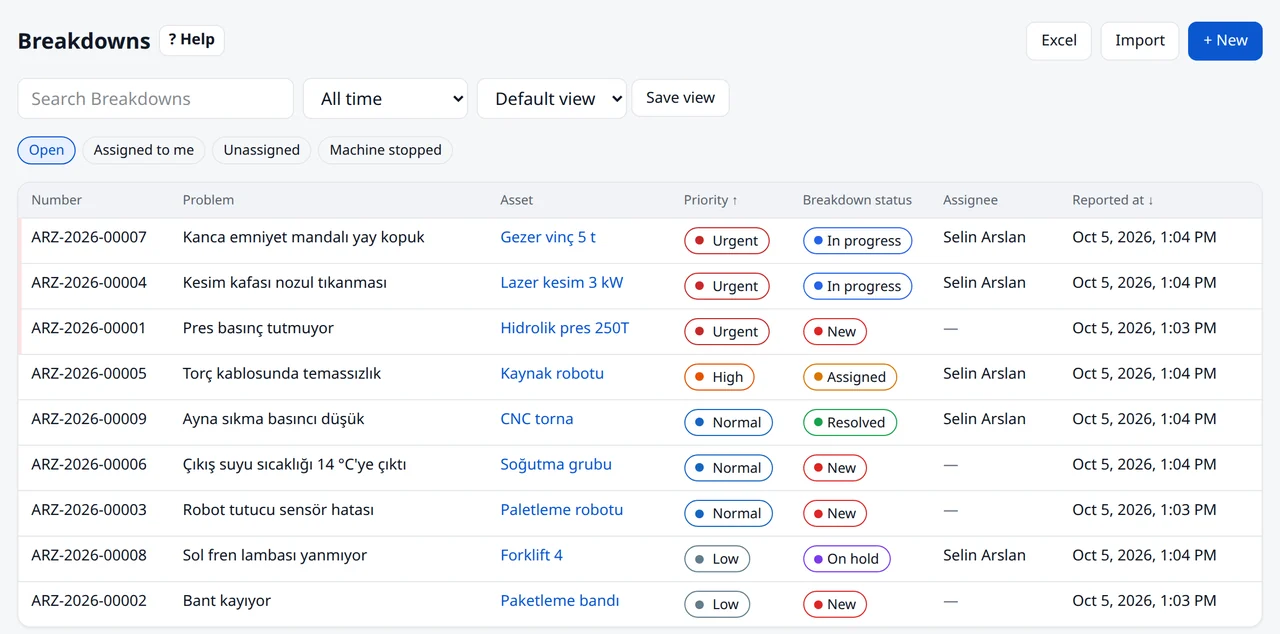
Breakdown management
Anyone who scans the QR code on a machine can report a breakdown. Priority and owner are set automatically and the right person is notified.
- Reporting
- By QR code; optionally without signing in
- Attachments
- Photos, video and voice notes
- Priority
- From machine criticality, stoppage and safety risk
- Assignment
- Area owner, or the on-call technician during duty
- Downtime
- Duration and hourly downtime cost
- Fix
- Troubleshooting guides and similar past breakdowns
02
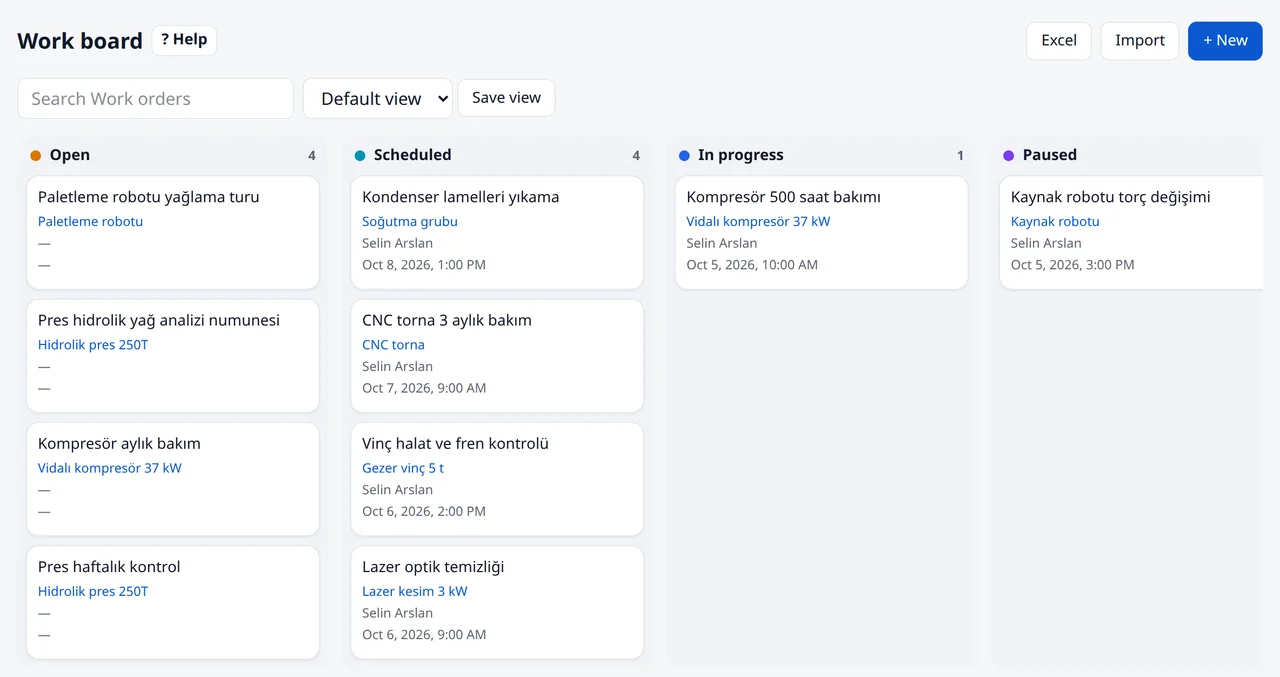
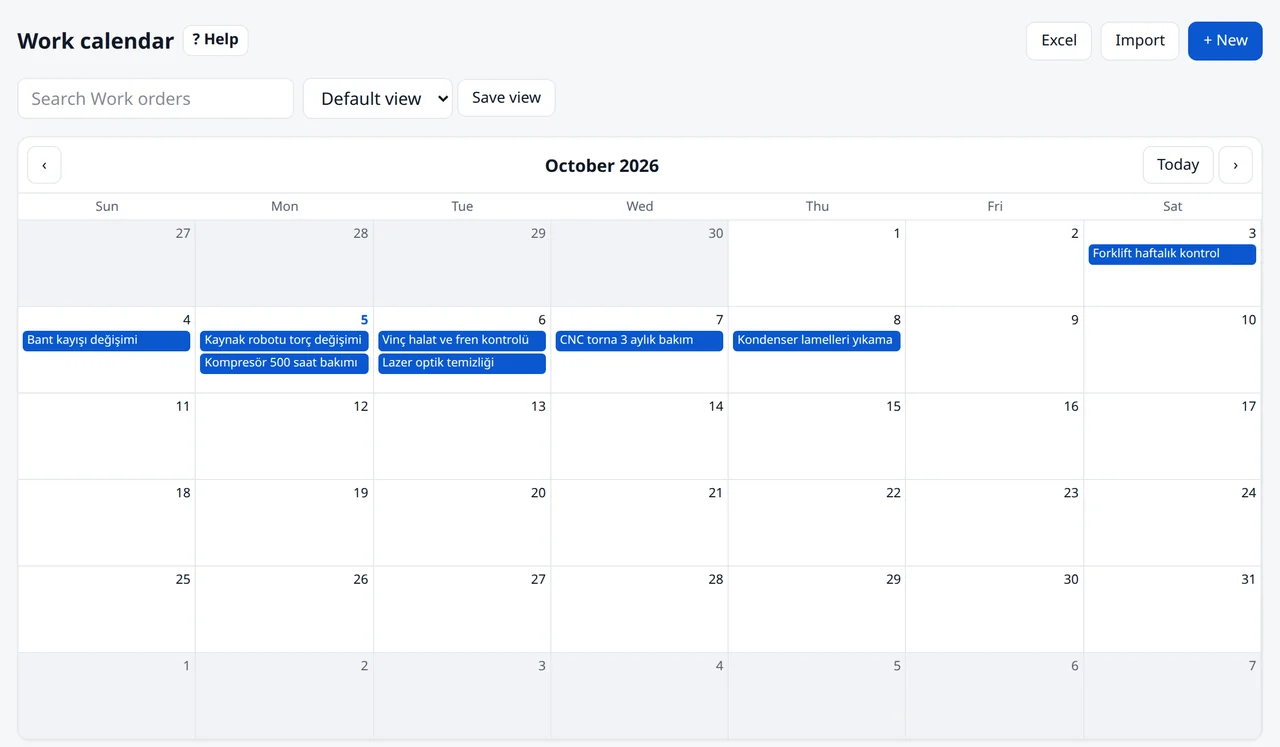
Work orders
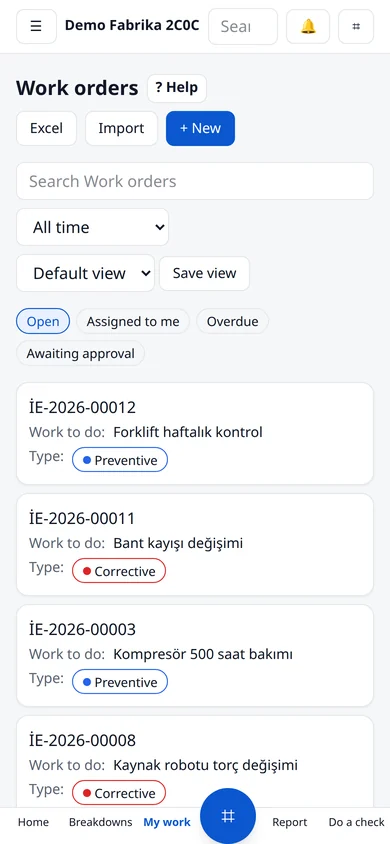
Open, planned, in-progress and completed work as a list, board or calendar.
- Board and calendar
- Drag-and-drop board, weekly and monthly calendar
- Workload
- Open jobs and estimated time per person
- Cost
- Labour and external service
- Close-out
- Parts used, signature and PDF service report
- Overdue
- Escalation to managers
03
Preventive maintenance
Plans follow days, running hours or meter thresholds. Work orders open automatically when due.
- Interval
- Days, running hours, cycles or a reading threshold
- Calendar rules
- Weekdays, seasons, closed days and shifts
- Templates
- One plan for every machine of a model
- Checklists
- Item-by-item checks with readings
- Statutory
- Inspections, calibration and work permits
04
Machines and locations
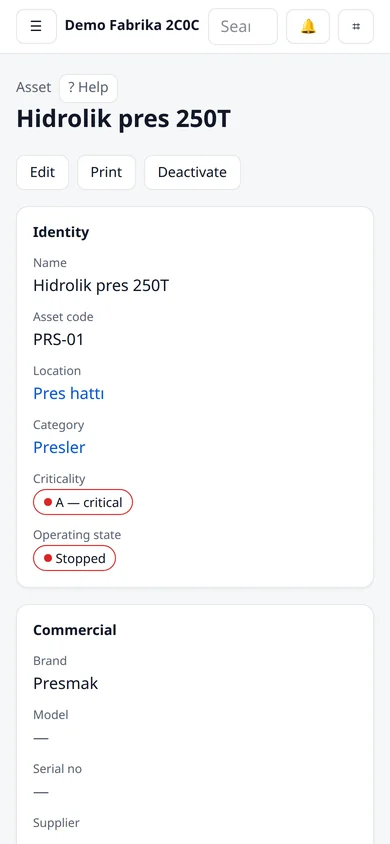
Site, building, line and machine tree. Each machine card holds its history, documents and condition.
- Tree
- Unlimited levels; machines placed on floor plans
- Machine card
- History, documents, warranty, moves
- Documents
- Expiry dates and reminders
- Condition
- Health score, replacement plan, FMEA
- Labels
- Bulk QR labels per location
05
Inventory and purchasing
Spare-part stock, movements and purchase approval. You hear about a critical part before it runs out.
- Stock
- Multiple stores, bins, serial and lot
- Movements
- Receipts, issues, returns, transfers, counts
- Alerts
- Minimum stock; reservations for work orders
- Purchasing
- Request, approval and order
- Barcode
- Scan a part code to open the part
06
Meters and device data
Running hours, cycles, temperature, vibration, energy. Read manually, by QR, from a photo or straight from the device.
- Device readings
- PLC, gateway or IoT platform with an API key
- Thresholds
- Work order or breakdown when crossed
- Trends
- Alarm limits and trend chart
- Gaps
- Alert when data stops; breakdowns from error codes
- Energy
- Consumption and carbon
07
Reports
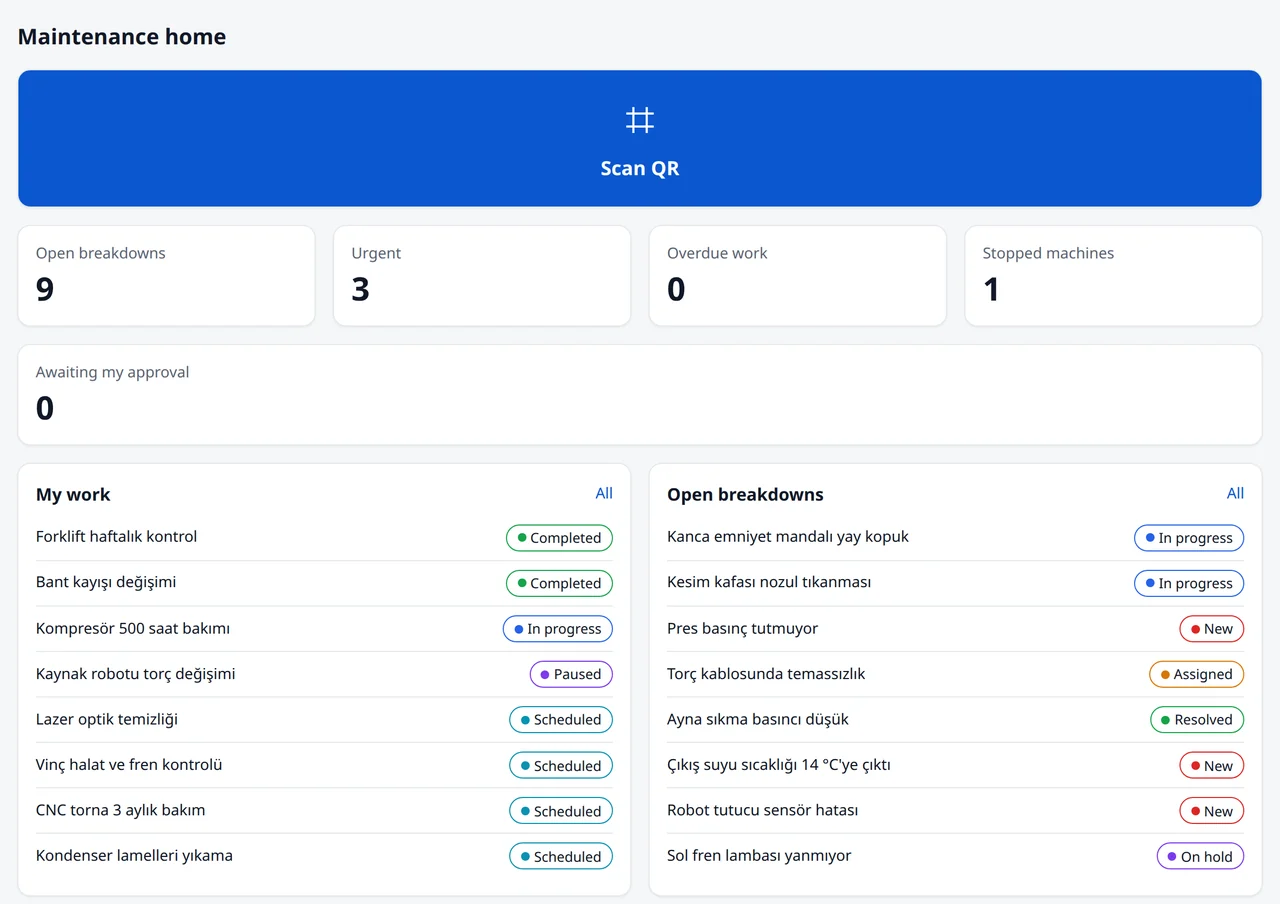
MTTR, MTBF, availability, PM compliance and cost. Every role sees its own dashboard.
- KPIs
- Ready KPIs and editable dashboards
- Export
- Excel; Power BI via OData
- Digests
- Morning and Monday weekly digest; each person picks the time
- Audit
- Change history on every record
08
Team, shifts, permissions
Start with ready roles. Everyone sees only their own work and the sites they look after.
- Roles
- Maintenance manager, supervisor, technician, operator, HSE, stores, purchasing…
- Scope
- Permissions limited to a site or location
- Shifts
- Shift teams and on-call schedule
- Skills
- Training and certificate tracking
- Invites
- Bulk invites from an e-mail list
09
Phone and offline
Installs on the phone without an app store. Records offline and syncs when the connection is back.
- Install
- Installable web app
- Offline
- Entries sent when back online
- Camera
- QR and barcode scanning
- Notifications
- Push, e-mail and WhatsApp
10
AI helpers
Output is always a draft. Nothing is saved until you approve it.
- Manuals
- Plans and parts lists from PDF manuals
- Meters
- Readings from photos
- Similar cases
- How the same symptom was fixed before
- Assistant
- Questions answered from your records
11
No-code configuration
Fields, forms, status flows, menus and notifications change from the screen. Your process stays yours.
- Forms
- Field and form designer
- Flows
- Statuses and approval steps
- Automation
- Rules and notifications
- Templates
- Industry templates and a package marketplace
- Language
- Turkish and English interface
Try it free for 30 days.
No credit card. Open your account, look around with sample data or add your own machines.